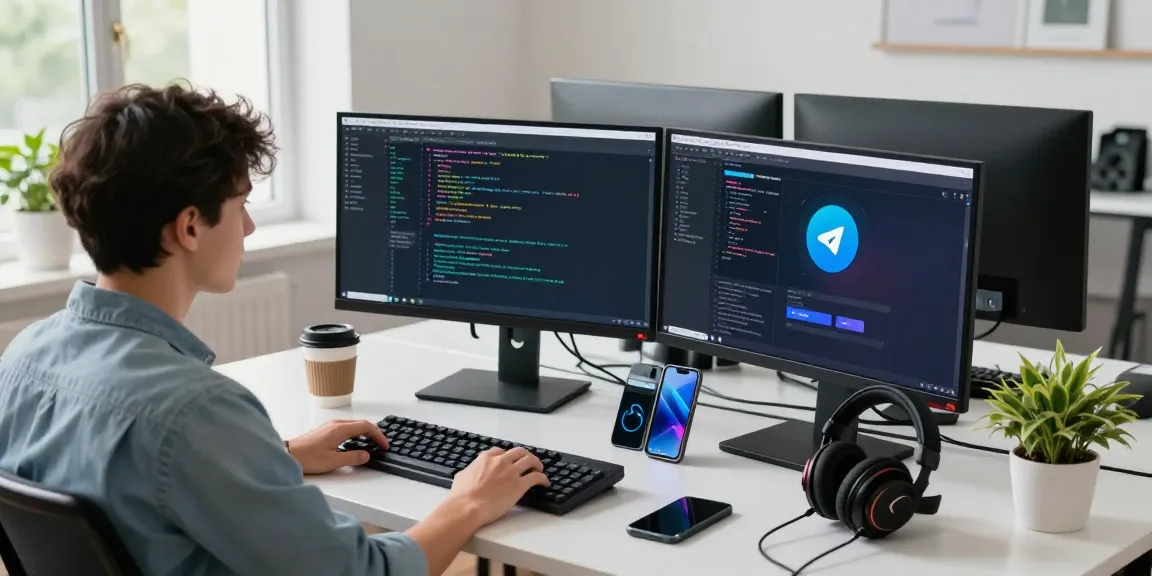

Understanding OpenClaw’s Core Features
OpenClaw is revolutionizing the way personal AI assistants operate by providing a flexible, open-source solution tailored for individual users and businesses alike. With its robust features, OpenClaw stands out as a versatile assistant capable of managing everything from email organization to calendar management, seamlessly integrating with over 100 applications including popular messaging platforms like WhatsApp and Telegram. When exploring options, openclaw offers comprehensive insights into making your operations smoother and more efficient.
What is OpenClaw?
OpenClaw, formerly known as Clawdbot and Moltbot, represents a significant evolution in the field of personal AI assistants. Unlike traditional assistants that rely heavily on cloud services, OpenClaw is designed for on-premises deployment, ensuring your data remains under your control. This open-source platform allows users to create, run, and manage autonomous AI agents tailored to their specific workflows, offering an unparalleled level of personalization and functionality.
Key Capabilities of OpenClaw
- Automation of Routine Tasks: OpenClaw can handle repetitive tasks like email sorting, calendar management, and even data extraction from websites, allowing users to focus on more strategic initiatives.
- Adaptive Learning Engine: The platform learns from user interactions, progressively adapting to individual preferences and routines, which enhances its ability to anticipate needs and streamline processes.
- Multi-Platform Integration: It connects effortlessly with various messaging platforms, making it a versatile tool for both personal and professional use.
- Modular Plugin System: Users can expand functionality through community-developed modules or create proprietary extensions to meet unique business requirements.
Compatibility with Messaging Platforms
One of OpenClaw’s standout features is its extensive compatibility with popular messaging platforms. It integrates with services like WhatsApp, Telegram, Discord, and Slack, allowing users to interact with their AI assistant in environments they are already familiar with. This capability not only streamlines communication but also allows for a more integrated work experience across different channels.
Installation Guide for OpenClaw
Preparing Your System for Deployment
Before installing OpenClaw, it’s essential to ensure your hardware is compatible. OpenClaw runs on various operating systems, including macOS, Windows, and Linux, making it accessible for a wide range of users. For an optimal experience, it is recommended to have a system with sufficient computational resources, particularly if you plan on utilizing AI models that require more processing power.
Step-by-Step Installation Process
- Choose Your Installation Method: OpenClaw can be installed via Homebrew for macOS users or through npm for other systems. You can use the command
brew install openclawdornpm i -g openclawdto initiate the installation. - Configure Your Deployment: After the installation is complete, execute
openclawd onboardto set up your API credentials and select the AI models you wish to utilize. - Start Using OpenClaw: Finally, launch the assistant with
openclawd start, and you’re ready to begin streamlining your tasks with OpenClaw.
Post-Installation Setup Tips
After installation, there are several adjustments you can make to enhance your experience with OpenClaw. Consider configuring your AI’s language preferences and integrating it with additional messaging platforms to expand its capabilities. It is also beneficial to explore the modular plugin system, allowing you to customize your assistant according to your workflow needs.
OpenClaw Pricing Plans Explained
Overview of Pricing Tiers
OpenClaw is designed to cater to various user needs, offering flexible pricing plans that can accommodate both individuals and businesses. The core software is free and open-source, allowing users to customize their assistant without incurring licensing fees. However, costs may arise from the API usage of AI services, which typically range from $5 to $50 per month, depending on your usage volume.
Cost Analysis for Personal vs. Business Use
For personal users, the overall expenses can be minimal, particularly if existing hardware is utilized. A simple setup may cost around $6 to $13 monthly, while small businesses that require more robust service may find their monthly costs between $25 and $50, factoring in additional API and infrastructure expenses.
Understanding API and Infrastructure Costs
While OpenClaw’s software is free, users must be aware of potential costs related to the underlying AI services. These costs depend on the chosen AI engine and the volume of requests made. Users can effectively manage these expenses by choosing appropriate service tiers that match their usage needs.
User Experiences with OpenClaw
Case Study: Productivity Boost for Entrepreneurs
Entrepreneurs are finding significant value in OpenClaw’s capability to automate routine tasks. For example, one startup founder reported remarkable efficiency gains after deploying OpenClaw to manage client communications and coordinate scheduling. By utilizing OpenClaw to delegate these tasks, the entrepreneur could focus on strategic growth and innovation rather than day-to-day operations.
Testimonials from Software Developers
Software developers appreciate OpenClaw for its open-source nature, which allows for extensive customization. One developer shared that they have successfully integrated OpenClaw with their GitHub alerts and automated deployment processes, resulting in streamlined operations and improved productivity.
Comparative User Experiences with Other AI Assistants
Compared to traditional cloud-hosted assistants, users frequently cite OpenClaw’s data privacy and control as significant advantages. Testimonials indicate that users feel safer knowing their data remains local, thus reducing exposure to potential breaches associated with cloud services.
Future Trends and Developments for OpenClaw
Emerging Features in 2026
As we move further into 2026, OpenClaw is expected to roll out new features, including enhanced natural language processing capabilities and additional integrations. Users can look forward to more intuitive interfaces and smarter automation that adapt to their habits and preferences.
Community Contributions and Innovations
The OpenClaw community is vibrant and active, making significant contributions to the platform. Innovations are frequently discussed in forums and GitHub repositories, helping to shape the future direction of OpenClaw.
Anticipating User Needs and Challenges
OpenClaw developers actively seek feedback from users to identify potential challenges and desires for future updates. This community-driven focus ensures the platform evolves in ways that genuinely enhance the user experience and address real-world problems.
How to Begin with OpenClaw?
Getting started with OpenClaw is straightforward. First, ensure your hardware is compatible and ready for deployment. Follow the installation guide to set up your assistant, customize its functionalities, and start experiencing the benefits of advanced automation.
What Hardware is Best for OpenClaw?
While OpenClaw can run on various systems, many users recommend the Mac mini due to its power efficiency and dependability. The latest M2 variant provides enough computational power for continuous operations, making it a preferred choice for many enthusiasts.
Can OpenClaw Operate Offline?
Yes, OpenClaw can operate entirely offline by utilizing local models, allowing users to maintain complete data sovereignty. This feature not only enhances privacy but also makes it an excellent choice for users with strict data compliance requirements.
Is OpenClaw Secure for Personal Use?
Security is a critical concern for users, and OpenClaw addresses this by allowing complete control over data storage. Unlike many cloud-hosted assistants, users can keep their data on their hardware, ensuring that sensitive information remains private and protected from external threats.
How to Customize OpenClaw with Modules?
OpenClaw’s modular design allows users to enhance its capabilities by adding custom modules. Whether you are a developer looking to create your own functionalities or a user wanting to implement community-developed extensions, the modular system provides flexibility to cater to individual needs and preferences.